
Southern California has no shortage of weekend escapes within a few hours’ drive: forested mountains, desert towns, lakeside cabins and quiet coastal stretches. Many of them are also places where phone signal gets patchy, and a rental cabin’s Wi-Fi may not hold up. If you are weighing a Starlink rental Los Angeles for a getaway like that, the real question is whether your particular trip needs one. This guide helps you decide by looking at the kinds of getaways people take, what each tends to need and how to plan the setup.
Coverage varies, so check your own trip
Cell coverage depends on your carrier and the exact spot, even within the same town. Treat the descriptions below as general patterns, not a map. The best test is simple: ask the host, check your carrier’s coverage map and, if you can, look at recent guest comments about signal.
Mountain cabin weekends
Cabins in forested mountain areas often have weak signal and shared Wi-Fi. Tall trees and steep slopes make the sky harder to see, which matters for a dish. If you rent, ask the owner whether a temporary dish outdoors is allowed and where it can sit. A cabin with a clear yard or driveway is a better candidate than one surrounded by tall trees.
Desert weekends
Desert trips offer wide skies, which suits a dish well. The challenges are different: heat, wind and dust. Keep the kit in its case and out of hot cars, weigh down the stand and wipe dust off connections. Power can also be limited at remote rentals, so plan it before you leave.
Lake and reservoir trips
Lakes bring open sky but also moisture and shifting weather. Keep the dish, cables and router dry, and keep connections off wet ground. If you stay on a boat or dock, safety comes first, and you should place equipment where it can’t fall into the water. Ask the company before you plan to use it on a boat.
Coastal and beach stays
Coastal rentals sometimes have signal on the beach and none a few streets inland, because bluffs and buildings block towers. Salt air and wind are hard on equipment, so keep the kit in its case when you aren’t using it. A balcony or patio with open sky can work well, subject to the building’s rules.
Camping weekends
Campgrounds range from busy sites with some signal to remote spots with none. Power is the main question: hookups, a generator or a small solar setup. Check campground rules before you bring a generator, and follow any fire restrictions in dry areas.
Which of these needs a rental?
A rental is worth considering when:
- Your destination has weak or no signal
- You need steady calls, uploads or payments
- Several people need to be online at once
- You want a backup for a work deadline
- You are curious about Starlink before buying
It may not be worth it when your phone already works well and you only check messages. A hotspot is cheaper and simpler.
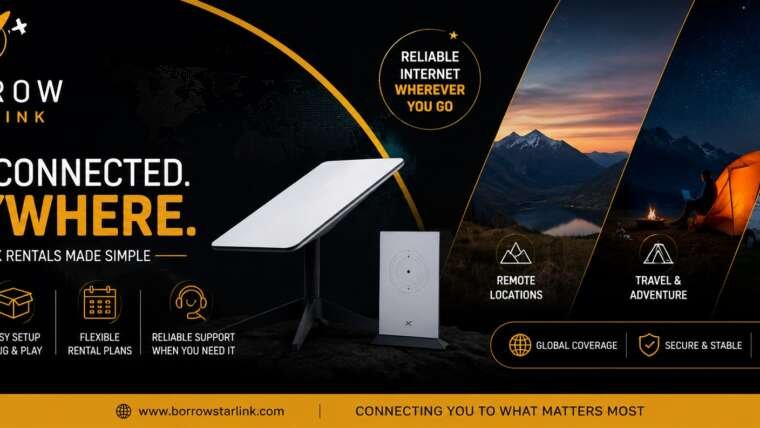
What a rental includes
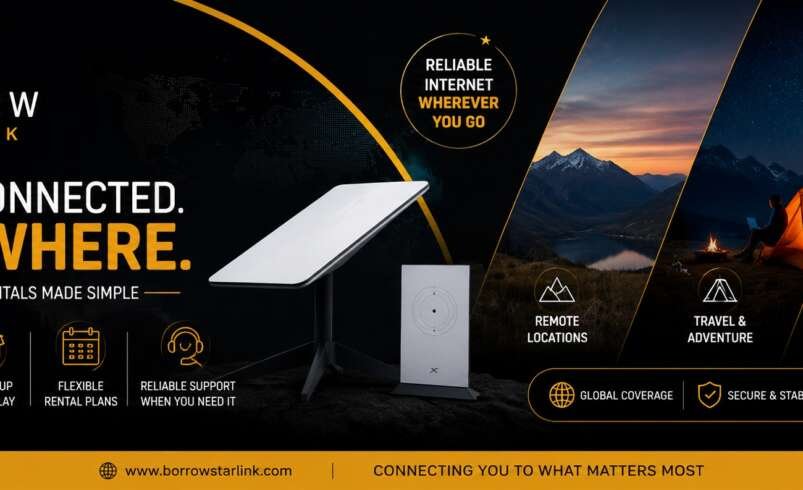
BorrowStarlink lists these items with each rental:
- The Starlink dish
- A Wi-Fi router that connects multiple devices
- A custom hard case
- Unlimited data, already configured
The company handles the accounts, subscription and equipment setup, so you don’t need a Starlink account of your own. You bring a power source and the Starlink app.
Getting the kit from Los Angeles
BorrowStarlink has a Local Pick-up page and a Delivered page. The site doesn’t say where pick-up happens or whether delivery reaches Los Angeles, so ask the company directly:
- Is a kit available for my dates?
- Can it be delivered to my address in the Los Angeles area, or where is pick-up?
- Will I have time to test it before the weekend?
- How does the return work if my trip ends somewhere else?
Don’t assume. Get the answers before you plan the trip around them.
Choosing a spot at the getaway
Starlink needs a wide, open view of the sky. Before you unpack, stand where you plan to place the dish and look straight up. If you see plenty of open sky, you are in good shape. Trees, rooflines, cliffs and hills can block part of it. If part of the view is covered, move a few steps and check again. The Starlink app can show obstructions. For a walkthrough, see the Set-up Guide.
Power
The dish averages about 60 watts. A standard 110v outlet works, and so do an RV system, a generator or a small 100W solar panel. Bring a long, outdoor-rated extension cord and a power strip. If you use a generator, run it outdoors only, away from tents and doors, and check local fire rules before using any fuel-burning equipment in dry areas.
Test before you drive
Test the kit as soon as you have it.
- Find a spot outdoors with a wide view of the sky.
- Place the dish on a stable surface and secure it.
- Connect the cables and plug in the power.
- Wait a few minutes while the dish finds its position.
- Join the Wi-Fi network and run a short video call.
Install the Starlink app before you leave cell service, since it is hard to download once you are offline. Heavy rain can slow the connection, and speeds vary by location and time of day, so treat advertised numbers as best-case figures.
Share the connection sensibly
One connection is shared by every device on it. Agree on simple habits: calls first, streaming later and big downloads before you leave. Keep a phone hotspot as a backup for short messages.
Keep a safety plan separate
A dish is a convenience, not a safety device. For remote getaways, tell someone your route and return time, check road and weather conditions before you drive and carry the supplies your trip calls for.
Where the kits can be used
BorrowStarlink says its kits are designated for North America, including Canada and Mexico.
Questions to ask before you book
- Is a kit available for my weekend?
- How does pick-up or delivery work for Los Angeles?
- What exactly is in the kit?
- How much is the deposit, if any, and how is it refunded?
- What are the late return and damage terms?
- How do returns work?
- Who do I contact if something doesn’t work?
Businesses and events can also look at the Enterprise page.
Getaway checklist
- Signal at the destination checked with the host and your carrier
- Host permission asked for a temporary dish
- Delivery or pick-up for Los Angeles confirmed with the company
- Kit booked early, with a day of buffer
- Contents checked and photographed
- Starlink app installed
- Spot with open sky chosen
- Power plan and fire rules checked
- Kit tested before the drive
- Return deadline and method noted
Final thoughts
A Starlink rental Los Angeles is most useful for getaways where signal is weak and the connection matters. Check coverage at your destination, ask the host about a dish, confirm how the kit reaches you and test before you drive.
If you want to look at options, BorrowStarlink offers short and long term rentals with the dish, router, hard case and unlimited data included. Check the Local Pick-up and Delivered pages, then contact the company to confirm availability for your dates.