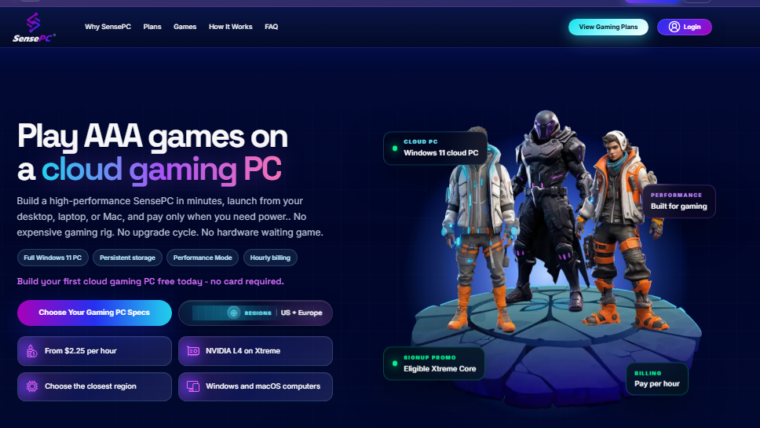


A PC gaming virtual setup allows gamers to access powerful computing resources without purchasing an expensive physical gaming computer. With a cloud PC service, games run on remote hardware while gameplay is streamed directly to your Windows computer, laptop, or compatible device.
Whether you want to play demanding PC games, access a remote desktop, or use additional GPU resources, cloud computing provides a flexible alternative to traditional gaming hardware.
What Is a Virtual PC for Gaming?
A virtual PC for gaming is a remote computer equipped with processing power, memory, and GPU resources to run compatible PC games. Instead of depending on your device’s hardware, you connect to a remote Windows environment through the internet.
This approach is useful for gamers with standard laptops, older computers, or devices without dedicated graphics cards.
How Does Cloud on Windows Work?
Cloud on Windows allows users to access a Windows desktop hosted on remote infrastructure. Once connected, you can interact with the virtual computer much like a regular desktop.
Common uses include:
-
Playing compatible PC games remotely.
-
Installing Steam and Epic Games.
-
Running Windows applications.
-
Accessing GPU-powered computing resources.
-
Using a remote desktop from a laptop or Mac.
A stable internet connection and low latency help provide a smoother experience.
What to Look for in a Cloud PC Service
Choosing the right cloud PC service depends on performance, flexibility, and pricing. Consider these important features:
-
GPU performance: Look for dedicated GPU resources for graphics-intensive games.
-
Windows compatibility: Make sure the service provides a suitable Windows environment.
-
Flexible pricing: Hourly billing can help avoid unnecessary subscription costs.
-
Remote accessibility: Check compatibility with your preferred devices.
-
Software installation: Choose a service that allows you to install compatible games and applications.
Why Choose SensePC for PC Gaming Virtual?
SensePC provides a flexible cloud PC experience with Windows 11 and NVIDIA L4 GPU-powered resources.
With SensePC, you can:
-
Access a GPU-powered virtual gaming computer.
-
Install compatible Steam and Epic Games titles.
-
Connect from compatible Windows laptops and Macs.
-
Use hourly, pay-as-you-go computing.
-
Avoid mandatory monthly subscription commitments.
-
Access a remote Windows desktop for more than gaming.
Frequently Asked Questions
1. Can I play PC games on a virtual computer?
Yes. A GPU-powered virtual computer can run compatible PC games remotely and stream the gameplay to your device.
2. Can I use a cloud PC on Windows 11?
Yes. You can connect to compatible cloud PC services from a Windows 11 computer.
3. What is the difference between a cloud PC and a virtual PC?
A virtual PC is a software-based computer environment, while a cloud PC is hosted on remote infrastructure and accessed over the internet.
4. Do cloud PC services support Steam?
Many services allow Steam installation, provided their operating environment and policies support it.
5. Is SensePC suitable for gaming?
Yes. SensePC offers NVIDIA L4 GPU-powered cloud computing resources and a Windows 11 environment for compatible gaming workloads.
6. Do I need a gaming laptop to use SensePC?
No. You can access your cloud computer from a compatible laptop without requiring a dedicated local gaming GPU.
7. Does SensePC charge a monthly subscription?
No mandatory monthly subscription is required. SensePC offers hourly access so users can pay for the computing time they need.