
The way people access computing resources has changed significantly with the growth of cloud technology. Instead of depending entirely on the hardware sitting on a desk, users can connect to computers hosted in remote data centers.
A Paperspace cloud PC is one example of this approach, while a cloud based desktop describes the broader concept of accessing a remote desktop environment through the internet. Platforms such as SensePC also provide cloud computing environments for users who need access to remote computing resources.
Understanding how these services work can help users decide whether a cloud computer makes sense for gaming, work, development, or everyday computing.
What Is a Paperspace Cloud PC?
Paperspace is known for providing cloud infrastructure and virtual machines that can be configured for different computing workloads. A cloud PC essentially provides access to a remote computing environment hosted on cloud infrastructure.
Rather than purchasing physical hardware, users access a virtual machine remotely. Depending on the configuration, that machine can provide CPU, memory, storage, and GPU resources suitable for demanding applications.
This type of setup can be useful when a user’s local computer does not have enough processing power for a particular task.
However, a cloud PC is not exactly the same as a traditional desktop sitting locally on a user’s desk. The experience depends on the internet connection between the user’s device and the remote infrastructure.
Understanding a Cloud Based Desktop
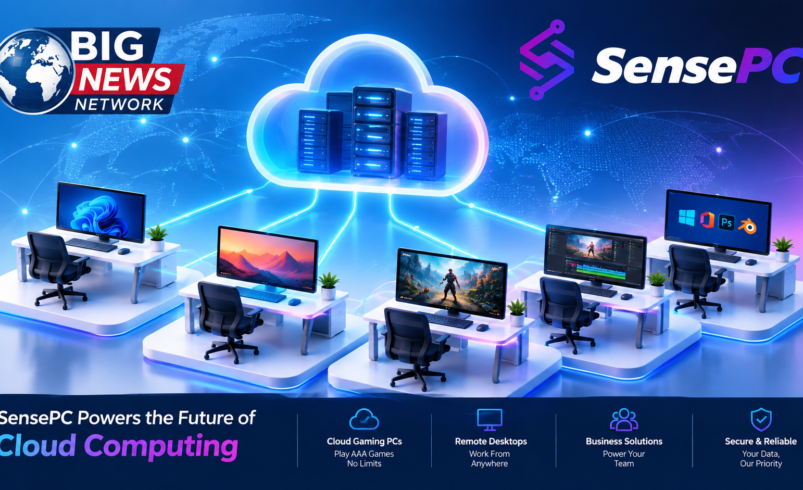
A cloud based desktop is a virtual desktop environment hosted remotely rather than running entirely on a local computer.
The basic concept is straightforward:
- Computing resources are hosted in a remote data center.
- A virtual machine provides the operating environment.
- The user connects through a compatible application or remote-access technology.
- Applications run on the remote computer.
- The visual output and user interactions travel between the cloud environment and the local device.
This arrangement separates the physical device from the computing environment.
For example, a person using a lightweight laptop may connect to a more capable remote desktop for tasks that require additional resources.
Why Use a Cloud Desktop?
There are several reasons someone might choose a cloud based desktop instead of upgrading their physical computer.
Access to More Computing Power
Cloud infrastructure can provide configurations that may be difficult or expensive to replicate on a personal laptop.
GPU-enabled cloud computers can be particularly useful for workloads involving graphics processing, development, data science, 3D applications, and other demanding tasks.
Device Flexibility
A cloud desktop can allow users to access the same remote computing environment from compatible devices.
This can be convenient for people who work from multiple locations or use different computers throughout the day.
Reduced Hardware Dependency
With a traditional PC, the processor, memory, storage, and GPU are physically tied to the machine. A cloud environment moves those resources to remote infrastructure.
This does not eliminate the need for a capable local device entirely—the local device still needs to provide a suitable connection—but it can reduce the importance of having high-end hardware locally.
Paperspace Cloud PC vs. Other Cloud PC Options
When evaluating a Paperspace cloud PC or another provider, it is useful to look beyond the provider’s name.
Important factors include:
- Available CPU and GPU configurations
- Memory and storage options
- Operating system support
- Remote-access experience
- Network latency
- Pricing and billing model
- Software compatibility
- Data storage requirements
- Customer support
- Ease of setup
Different providers may be better suited to different workloads. A developer may prioritize GPU availability and software flexibility, while a gamer may care more about latency and interactive performance.
There is no single cloud PC configuration that is ideal for everyone.
Cloud Based Desktop for Gaming
Cloud desktops can also be used for gaming when the hardware and software environment support the required games.
A GPU-powered remote computer can handle graphical processing while the user’s local device receives the resulting display.
This can make a cloud based desktop interesting for people who have a capable internet connection but limited local graphics hardware.
Gaming does introduce an additional consideration: latency.
A delay between input and visual response can affect interactive applications, particularly fast-paced games. Server location, network routing, connection stability, and streaming technology can all influence the experience.
Users should therefore evaluate network performance alongside the advertised hardware specifications.
SensePC as Another Cloud PC Option
SensePC is another option for users exploring remotely accessible cloud computers.
SensePC provides cloud computing environments designed for different use cases, including gaming, personal computing, development, and GPU-intensive workloads.
The idea is similar to other cloud PC services: computing resources are hosted remotely, while users access their environment through a supported connection.
For someone comparing a Paperspace cloud PC with other cloud computing options, SensePC can be evaluated using the same practical criteria—available hardware, supported software, access experience, pricing, performance, and intended workload.
Choosing the Right Cloud PC
The best cloud computer depends largely on what you intend to do with it.
For gaming, look for suitable GPU resources, low-latency connectivity, and compatibility with the games you want to play.
For development, CPU performance, memory, GPU availability, operating system options, and support for development tools may matter more.
For creative work, consider GPU performance, storage capacity, application compatibility, and display responsiveness.
For general personal use, ease of access, reliability, storage, and overall cost can be more important than maximum hardware specifications.
Thinking about the workload first makes it easier to compare providers objectively.
Is a Cloud Based Desktop Right for You?
A cloud based desktop can be useful when you want access to a remote computer without purchasing and maintaining all of the physical hardware yourself.
It can provide flexibility for users who need additional computing resources occasionally or want to separate their computing environment from their everyday device.
At the same time, cloud computing is not a universal replacement for a local PC. Internet connectivity is essential, recurring usage costs need to be considered, and some applications or games may have compatibility restrictions.
Final Thoughts
A Paperspace cloud PC is one example of the broader cloud computing model, where users access virtual machines and computing resources remotely. A cloud based desktop takes the concept further by providing a remote environment that can be used for everything from productivity to development and supported gaming workloads.
Services such as SensePC give users another option to consider when evaluating cloud PCs. Rather than choosing a provider based only on specifications, users should compare the complete experience—including hardware, accessibility, network performance, compatibility, pricing, and support.
The right cloud PC is ultimately the one that matches the user’s workload and provides the appropriate balance between performance, flexibility, and cost.