
Modern businesses depend on stable network connections to communicate, share information, access applications, and manage daily operations are networking devices play an important role in connecting computers, servers, printers, and other equipment within an organization. Choosing the right hardware helps businesses improve connectivity, manage data traffic, and prepare their IT infrastructure for future growth.
From small offices to enterprise environments, network equipment supports essential business activities. Understanding the available options makes it easier to build a reliable network that meets current requirements while allowing room for expansion.
What Are Networking Devices?
Networking devices are hardware components that connect computers and other systems, direct data traffic, and enable communication between devices. They form the foundation of local area networks (LANs), wide area networks (WANs), and wireless networks.
Common networking hardware includes switches, routers, hubs, wireless access points, modems, and network gateways. Each device performs a specific function, depending on the network design and the organization’s needs.
For example, a switch connects multiple devices within an office network, while a router directs traffic between different networks. Wireless access points allow compatible devices to connect without physical Ethernet cables. When selected and configured correctly, these components help businesses maintain efficient communication and dependable access to network resources.
Types of Networking Hardware for Businesses
Different environments require different network components. Understanding their functions helps IT professionals select suitable equipment for their infrastructure.
1. Network Switches
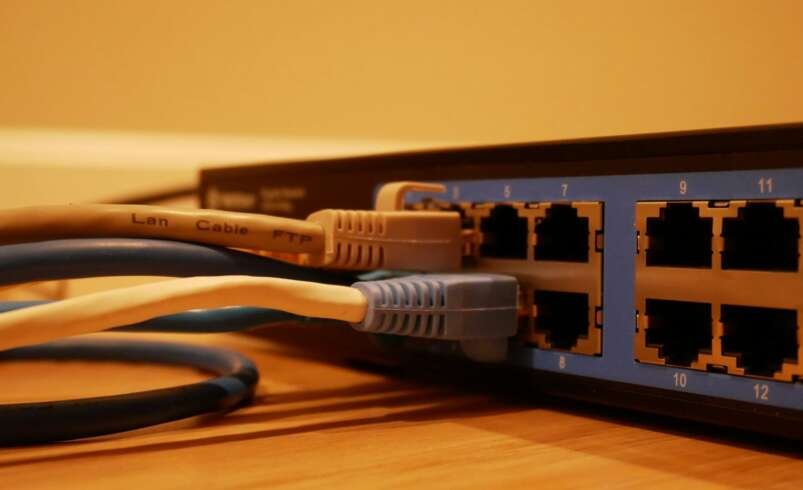
Network switches connect devices within the same local network and forward data to the appropriate destination. They are commonly used to connect desktop computers, servers, printers, IP phones, and other Ethernet-enabled equipment.
Managed switches provide configuration options such as VLANs, Quality of Service (QoS), traffic monitoring, and access controls. These features help administrators manage network performance and separate traffic for different departments or applications.
Unmanaged switches offer simpler connectivity with minimal configuration. They may be suitable for small offices or basic network expansions. Gigabit switches support data transfer speeds of up to 1 Gbps per port, while faster models can support demanding business and data center workloads.
2. Network Routers
Routers connect different networks and determine where data packets should be sent. Businesses commonly use routers to connect internal networks to the internet or link separate office locations.
Depending on the model, business routers may support firewall features, virtual private networks (VPNs), traffic prioritization, and multiple internet connections. These capabilities can help organizations manage connectivity and improve network security.
When selecting a router, businesses should consider internet speed, concurrent users, security requirements, available interfaces, and support for future network expansion.
3. Ethernet Switches
Ethernet switches provide wired connectivity through network cables. They are widely used where consistent connections and predictable performance are important, including offices, server rooms, and production environments.
The appropriate Ethernet switch depends on the number of connected devices, required port speeds, cable infrastructure, and network traffic. Organizations should also consider whether they need Power over Ethernet (PoE) to supply power to compatible devices such as wireless access points, IP cameras, and VoIP phones.
4. Wireless Networking Devices
Wireless networking devices provide network access without requiring every endpoint to use a physical cable. Wireless access points extend Wi-Fi connectivity, allowing laptops, smartphones, tablets, and compatible business equipment to communicate over a wireless network.
Businesses should evaluate coverage requirements, expected user density, supported Wi-Fi standards, interference, and security settings. Larger environments may need multiple access points with coordinated management to provide consistent coverage throughout the workplace.
5. Network Hubs and Gateways
Network hubs connect multiple devices but generally broadcast incoming data to all connected ports. Because switches forward traffic more intelligently, hubs are now uncommon in modern business networks.
Gateways connect systems that use different protocols or network architectures. Depending on their purpose, they can help different applications, networks, or devices communicate. Their role varies according to the technology being integrated.
How to Choose the Right Networking Devices
Selecting appropriate networking hardware requires an understanding of current business operations and expected growth. The following factors can help guide purchasing decisions.
Network size and port requirements: Count the devices that need connections and allow additional capacity for future equipment. Consider whether multiple switches or higher-density models are necessary.
Speed and performance: Evaluate the bandwidth required by applications, file transfers, cloud services, video calls, and server workloads. Gigabit connectivity may be sufficient for many office environments, while higher-speed links may benefit demanding applications.
Management features: Managed networking hardware provides greater control over traffic, segmentation, monitoring, and security. Simpler equipment may be sufficient where advanced configuration is unnecessary.
Compatibility: Check network interfaces, supported standards, cable types, power requirements, and compatibility with existing routers, servers, and access points.
Reliability and budget: Compare product specifications, warranty terms, management features, and expected operating requirements. The lowest purchase price does not always represent the best long-term value.
The Importance of Network Security and Management
Network security should be considered when planning any business infrastructure. Poorly configured equipment can expose systems to unauthorized access, data interception, or service disruptions.
IT administrators should change default credentials, install supported firmware updates, disable unnecessary services, and use appropriate access controls. Managed switches can support VLAN segmentation, while routers and firewalls can enforce traffic rules between networks.
Monitoring also helps organizations identify unusual traffic patterns, connection problems, and performance bottlenecks. Regular configuration backups and documented network diagrams can make troubleshooting easier and support faster recovery when equipment fails.
Businesses should review their security practices periodically and ensure that networking devices remain supported by their manufacturers.
Benefits of Upgrading Networking Equipment
Upgrading outdated hardware can help organizations address connectivity limitations and support changing technology requirements. Modern networking equipment may provide faster interfaces, improved management capabilities, stronger security options, and better support for connected devices.
For example, replacing an older switch with a Gigabit or multi-gigabit model may improve connectivity for users who regularly transfer large files. Introducing managed switches can provide better visibility into network traffic, while adding wireless access points may improve coverage in areas with weak signals.
However, an upgrade should follow a clear assessment. IT teams should identify the actual bottleneck before replacing equipment, as slow performance can also result from insufficient internet bandwidth, overloaded servers, poor cabling, or application issues.
Finding Suitable Networking Equipment
Businesses looking for reliable networking hardware should compare specifications and select products that match their existing infrastructure. Important considerations include port count, interface speed, management capabilities, PoE support, compatibility, and warranty coverage.
Direct Macro offers new and refurbished IT hardware, including networking equipment, switches, server components, and storage solutions. Exploring available products can help IT professionals identify hardware options for system maintenance, network upgrades, and infrastructure expansion.
Before purchasing, confirm that each product meets the technical requirements of the intended environment. Checking model numbers, supported interfaces, and compatibility can help reduce installation problems and unnecessary costs.
Conclusion
Networking devices are essential components of modern business infrastructure. Switches, routers, Ethernet hardware, wireless access points, and gateways each support different connectivity requirements. Choosing the right equipment involves evaluating network size, speed, compatibility, security, management features, and future expansion plans.
By maintaining updated hardware, monitoring network performance, and applying appropriate security controls, businesses can build a more dependable networking environment. Careful planning also helps organizations make practical purchasing decisions and support their evolving technology needs.