
Clover Station Pro for Retail Stores: A Practical Guide
Running a retail store means handling many tasks every day. Employees need to help customers, scan products, take payments, print or send receipts, and keep sales records. Store owners also need to watch inventory, check sales, and make sure the checkout area works properly.
A point-of-sale system can help bring many of these tasks together. The Clover Station Pro can be used by retail stores to manage checkout and payment tasks while keeping sales information organized.
Before choosing and setting up a POS system, store owners should understand what they need. The system should fit the number of products, daily sales, employees, payment methods, and other needs of the store.
This guide explains how the Clover Station Pro can be used in a retail store and what owners should check before using it.
What Is Clover Station Pro?
Clover Station Pro is a point-of-sale system made for businesses that need a checkout setup. It combines POS software and hardware to help employees handle sales and payments.
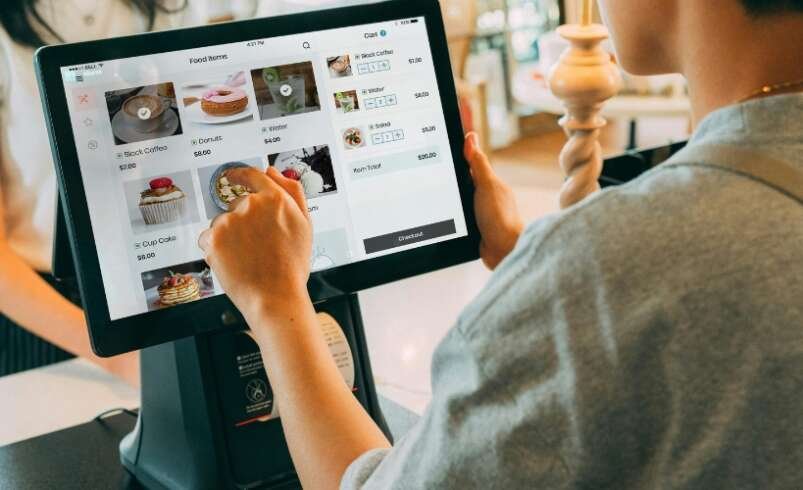
In a retail store, employees can use the system to find or scan products, check prices, calculate the total, accept payments, and provide receipts.
Depending on the setup, the system can also help with other tasks such as product management, inventory, employee access, and sales reports.
Why Do Retail Stores Need a POS System?
Retail stores can handle many customer purchases during the day. Keeping track of every sale without a POS system can take more time and may lead to mistakes.
A POS system can keep sales and payment information in one place. Employees can use it to complete customer purchases, while store owners can review sales records.
A POS system may also help with inventory, employee access, refunds, and reports. The features available will depend on the setup selected by the business.
Understand Your Store’s Needs First
Before setting up a POS system, think about how your store works.
Ask yourself:
- How many products do you sell?
- How many sales do you handle each day?
- How many employees will use the system?
- Which payment methods will customers use?
- Do you need to track inventory?
- What type of sales reports do you need?
- Do you have one store or multiple locations?
- How will you handle returns and refunds?
Knowing your needs first can make the setup process easier.
Set Up the Clover Station Pro
After deciding what your store needs, prepare the POS system.
Place the hardware in a convenient location at the checkout counter. Employees should have enough space to work, and customers should be able to reach the checkout area easily.
Connect the required equipment and check that everything is working correctly.
Then set up the POS software. Enter your business information and review the available settings.
Take your time during this step. Incorrect information can cause problems with sales and reports later.
Add Your Products
Adding products is an important part of setting up a retail POS system.
Enter the information needed for each product. This may include:
- Product name
- Price
- Product code
- Barcode
- Category
- Tax information
- Stock quantity
Use simple and clear product names. Employees should be able to find products quickly when serving customers.
If your store has many products, create clear categories to make the product list easier to manage.
Organize Products Into Categories
Categories can make it easier for employees to find products during checkout.
You can group products by type, department, size, or another system that works for your store.
For example, a clothing store may group products by clothing type, while a food store may use categories based on product type.
Keep the categories simple. Too many categories can make the system harder to use.
A clear product structure can also make sales information easier to review.
Set Up Payment Methods
Taking payments is one of the main jobs of a retail POS system.
Set up the payment methods your store plans to accept. Depending on the setup, this may include card payments, contactless payments, mobile payments, and other available options.
Test the payment process before opening the store.
Employees should know how to select the right payment option and complete a transaction correctly.
Testing payments in advance can help you find problems before customers start using the system.
Manage Customer Receipts
Receipts give customers a record of their purchases. They also help stores keep transaction records.
Depending on the setup, receipts may be printed or sent electronically.
Make sure employees know how to provide receipts. They should also know what to do if a customer asks for another copy.
Keeping receipt settings simple can help make the checkout process easier.
Handle Returns and Refunds
Many retail stores need to handle product returns and refunds.
Employees should understand how these transactions work in the POS system. Before opening, learn the correct steps for processing a return or refund.
Employees should also know when they can complete a refund and when they need approval from a manager.
Clear return rules can help employees handle these requests in the same way and reduce mistakes.
Keep Track of Inventory
Inventory is an important part of retail store management.
When a product is sold, the stock information may need to be updated. Keeping inventory information correct can help store owners know which products are available.
Enter the correct stock quantities when adding products.
It is also useful to check physical stock from time to time. The quantity shown in the POS system may not always match the actual number of products in the store.
Regular checks can help find and fix these differences.
Manage Employee Access
Retail stores often have several employees working different shifts.
Set up individual employee accounts when possible. This can help control access and keep track of employee activity.
Not every employee needs access to all POS settings. Some workers may only need access to checkout features, while managers may need more control.
Review employee access when someone changes roles or leaves the business.
Check Sales Reports
Sales reports can help store owners understand daily business activity.
Depending on the available setup, reports may include:
- Total sales
- Number of transactions
- Payment types
- Product sales
- Refunds
- Sales for a selected period
Reviewing these reports regularly can help you keep track of store sales.
Daily reports can show recent activity, while longer reports can help you compare sales over different periods.
Make Checkout Easy for Employees
The checkout process should be simple for employees to follow.
Keep commonly sold products easy to find. Make sure product prices are correct and payment options are ready to use.
Employees should also know how to fix common mistakes, such as choosing the wrong product or cancelling a transaction.
A simple checkout process can help employees serve customers more smoothly.
Train Your Employees
Employee training should be completed before the POS system is used with customers.
Show employees how to:
- Start a sale
- Find products
- Scan products
- Change quantities
- Take payments
- Provide receipts
- Process returns
- Handle common errors
- Finish their work session
Give employees time to practice.
Practice transactions can help employees learn the system and feel more comfortable before the store gets busy.
Keep the POS System Secure
Security is important for every retail POS setup.
Use separate employee accounts when possible. Do not share important login details with everyone.
Limit access to settings that can change prices, payment options, employee accounts, or other important information.
Store owners should also review employee access regularly.
If an employee leaves the business, remove or change their access as needed.
Common Mistakes to Avoid
New retail stores can make a few simple mistakes when setting up a POS system.
Entering the Wrong Prices
Incorrect prices can cause problems during checkout. Check all product prices before opening.
Poor Product Organization
Unclear or overly complex categories can make it harder for employees to find products.
Not Training Employees
Employees need basic training and practice before they start handling customer transactions.
Skipping Payment Tests
Always test your payment methods before opening the store.
Not Checking Inventory
Incorrect inventory information can make it difficult to know how many products are available.
Giving Too Much Access
Only give employees access to the features they need for their work.
Tips for Using Clover Station Pro
A simple and organized setup can make daily POS use easier.
Keep product information updated and check prices regularly. Review inventory and compare the system records with physical stock from time to time.
Train new employees before allowing them to use the system during busy periods.
Review sales reports regularly to keep track of transactions and store activity.
Also, keep the checkout area clean and organized. Employees should be able to reach the POS equipment without difficulty.
Final Checklist Before Opening
Before using the Clover Station Pro for real customer purchases, check the complete setup.
Review:
- Business information
- Product names
- Product prices
- Product categories
- Tax settings
- Payment methods
- Employee accounts
- Receipts
- Refund process
- Inventory
- Sales reports
- Security settings
Run several test transactions before opening.
Try different products and payment methods. Check that the transactions are recorded correctly and that receipts work as expected.
Finding problems during testing is much easier than fixing them while customers are waiting at the checkout.
Final Thoughts
A retail store needs a POS system that can make checkout and payment tasks easier to manage. The Clover Station Pro can help businesses handle customer purchases, payments, receipts, product information, and other daily checkout tasks based on the selected setup.
Before using the system, store owners should add their products, organize categories, set prices, choose payment methods, create employee accounts, and test the checkout process.
Regular employee training, inventory checks, sales report reviews, and basic security steps can also help keep the system organized as the store grows.
For businesses looking for payment solutions and related services, Direct Processing Network can provide more information.