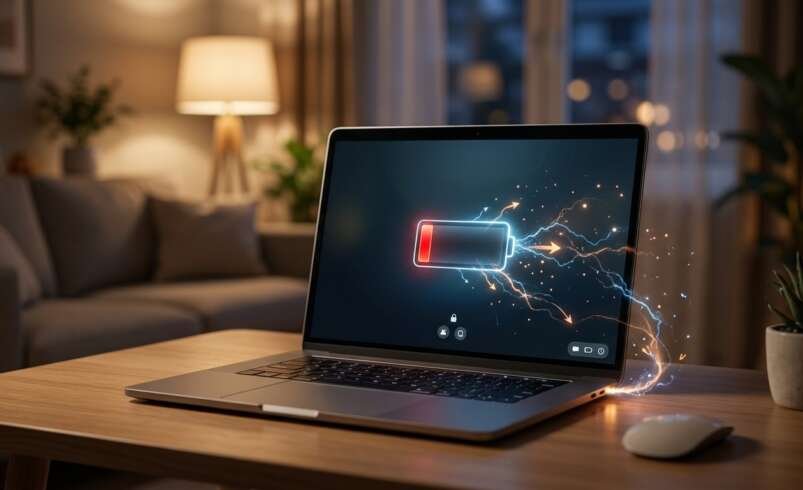

expect your computer to retain its charge between tasks. This problem may result from background applications, aging batteries, incorrect power settings, overheating, or hardware faults. iPC Repair Houston helps customers explore computer repair solutions, while people looking for MacBook repair Houston or liquid damage repair Houston can investigate professional support for battery and internal component problems.
Understanding what causes idle battery drain can help you identify the issue, improve battery life, and determine when professional repair may be necessary.
Table of Contents
- Common Causes of Idle Battery Drain
- How to Reduce Battery Drain
- When to Seek Professional Repair
- Tips for Maintaining Battery Health
- Frequently Asked Questions
- Call to Action
1. Common Causes of Idle Battery Drain
Background Applications and Processes
Some applications continue running even when you are not actively using your laptop. Cloud synchronization, automatic updates, antivirus scans, and messaging applications can consume processing power in the background.
Open your system’s task manager or activity monitor to identify applications using excessive CPU or memory resources. Closing unnecessary programs may help reduce power consumption.
An Aging or Worn-Out Battery
Laptop batteries gradually lose their ability to store energy as they age. A worn battery may lose charge more quickly than it did when the device was new, even when the laptop is sleeping or idle.
Check your laptop’s battery health report or built-in diagnostic tools to assess its condition. If battery capacity has declined significantly, replacement may be the most practical solution.
Incorrect Power and Sleep Settings
Your laptop may continue using power if it does not enter sleep mode properly. Settings that keep the display, processor, or connected devices active can increase battery consumption.
Review your power settings and configure the laptop to enter sleep mode after a suitable period of inactivity. If the battery drains while the lid is closed, check whether the device is sleeping or remaining awake.
Overheating and Poor Ventilation
A laptop that becomes unusually warm while idle may have background processes running continuously or a cooling system that needs attention. Heat can increase power consumption and contribute to long-term battery degradation.
Place the laptop on a hard, flat surface, keep ventilation openings clear, and investigate persistent overheating rather than ignoring it.
Connected Devices and Wireless Features
USB accessories, external storage devices, Bluetooth connections, and Wi-Fi activity may consume power even when the laptop is not being actively used.
Disconnect accessories you do not need and disable wireless features when appropriate. These adjustments may help reduce unnecessary battery consumption.
Hardware Problems or Liquid Damage
A malfunctioning internal component, charging circuit, or damaged motherboard may contribute to abnormal power consumption. Liquid exposure can also cause corrosion and electrical faults that affect battery performance.
If your laptop recently experienced a spill, turn it off, disconnect the charger if safe, and avoid powering it on again until it has been assessed. Professional liquid damage repair Houston services may help identify affected components.
2. How to Reduce Battery Drain
Try these practical steps to improve battery performance:
- Check battery usage: Identify applications consuming unusually high amounts of power.
- Adjust sleep settings: Make sure your laptop enters sleep mode when inactive.
- Reduce background activity: Pause unnecessary synchronization and close unused applications.
- Lower screen brightness: Display brightness can significantly affect battery consumption.
- Disconnect accessories: Remove unnecessary USB devices and external peripherals.
- Install trusted updates: Keep your operating system and manufacturer-recommended drivers updated.
- Check battery health: Use built-in diagnostic tools to identify declining battery capacity.
If the battery continues draining rapidly after these changes, a hardware inspection may be necessary.
3. When to Seek Professional Repair
Professional diagnosis is recommended when your laptop loses charge unusually quickly, becomes hot while idle, shuts down unexpectedly, or shows inconsistent battery readings.
A technician can evaluate battery health, charging components, background power consumption, and possible motherboard faults. Customers seeking MacBook repair Houston can also have Apple laptop battery and power-related issues assessed.
If the battery is swollen, stop using the device and do not attempt to press, puncture, or remove the battery yourself. Arrange professional service promptly.
4. Tips for Maintaining Battery Health
Good everyday habits can help preserve battery performance.
- Avoid exposing your laptop to excessive heat.
- Use a compatible, reputable charger.
- Keep the operating system and applications updated.
- Enable battery health or charge-limit features when available.
- Avoid leaving unnecessary applications running continuously.
- Investigate sudden changes in battery performance early.
These practices can help reduce unnecessary power consumption and support long-term battery health.
5. Frequently Asked Questions
Why does my laptop lose battery while it is not being used?
Background applications, incomplete sleep mode, connected devices, battery aging, or hardware problems may cause power loss during inactivity.
Is it normal for a laptop battery to drain in sleep mode?
Some battery loss is normal, but excessive drain may indicate that the laptop is not entering a low-power state properly or that a battery or software issue exists.
Can a laptop battery be repaired?
Battery performance issues sometimes result from software or power settings. However, a physically degraded or damaged battery generally requires replacement rather than repair.
Why does my laptop get hot while idle?
Background processes, blocked ventilation, cooling system problems, or malfunctioning hardware can cause heat buildup. Persistent overheating should be investigated.
Can liquid damage cause battery drain?
Yes. Liquid can damage internal circuits and create electrical faults that affect power consumption. Turn off a device after a suspected spill and seek professional assessment.
6. Get Help With Laptop Battery Problems
A laptop battery that drains while idle may be affected by background software, incorrect sleep settings, normal battery aging, or a hardware fault. Identifying the cause early can help you avoid unnecessary battery replacement and prevent further problems.
iPC Repair Houston is a resource for customers exploring computer repair options. Whether you need help with battery performance, are searching for MacBook repair Houston, or require liquid damage repair Houston, professional diagnosis can help determine the appropriate next step.