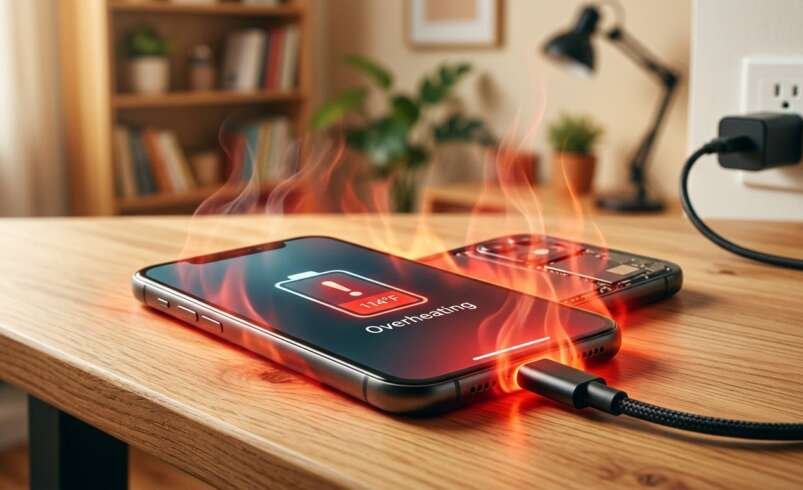

Have you noticed your smartphone becoming unusually hot whenever you connect it to a charger? Some warmth during charging is normal, but excessive heat can indicate problems with your charger, battery, charging port, or software. Understanding why your phone keeps overheating while charging can help you protect your device, maintain battery health, and prevent potential damage.
Nanotech Mobile understands how important reliable devices are in everyday life. Whether you need smartphone troubleshooting or professional laptop repair Regina and MacBook repair Regina services, identifying technical problems early can help extend your device’s lifespan and maintain its performance.
Table of Contents
- Common Reasons Your Phone Overheats While Charging
- Signs That Your Phone Is Getting Too Hot
- How to Prevent Overheating During Charging
- When Should You Seek Professional Repair?
- Frequently Asked Questions
- Conclusion and Call to Action
1. Common Reasons Your Phone Overheats While Charging
Using Your Phone While Charging
Playing demanding games, watching videos, making video calls, or using navigation while charging can generate additional heat. Your phone’s processor, screen, and battery are working simultaneously, which increases the overall temperature.
What to do: Give your phone a break while charging, especially if it becomes noticeably hot. Close demanding applications and reduce screen brightness when necessary.
Using an Incompatible or Damaged Charger
A low-quality, damaged, or incompatible charging adapter or cable may cause charging problems and excessive heat. Fast charging can also produce some warmth, but unusual heat should not be ignored.
What to do: Use a manufacturer-recommended or reputable compatible charger and inspect the cable for damage. Replace frayed cables and avoid questionable charging accessories.
Battery Deterioration
Smartphone batteries gradually lose capacity as they age. A worn or damaged battery may struggle to operate efficiently, sometimes producing excessive heat during charging.
Other warning signs include rapidly declining battery percentage, unexpected shutdowns, and poor battery life.
What to do: If overheating happens repeatedly, arrange a professional battery inspection. If the battery is swollen, stop using and charging the phone immediately. Never puncture or press on a swollen battery.
Background Applications and Software Issues
Applications running in the background can consume significant processing power. Software bugs, outdated applications, or a system process stuck in a loop may also cause your phone to heat up during charging.
What to do: Restart your phone, check battery usage settings, close unnecessary applications, and install official software updates when appropriate.
A Dirty or Damaged Charging Port
Dust, lint, corrosion, or physical damage inside the charging port can interfere with a proper connection. In some cases, a loose connection can contribute to charging interruptions or localized heat.
What to do: Check the port for visible damage and avoid inserting metal objects or liquids. If the cable feels loose, charging repeatedly disconnects, or heat develops around the port, seek professional inspection.
2. Signs That Your Phone Is Getting Too Hot
Look out for these warning signs:
- Your phone becomes too hot to hold comfortably.
- Charging repeatedly pauses or stops because of temperature warnings.
- The battery drains unusually quickly during charging.
- The screen dims automatically or the device becomes sluggish.
- You notice a burning smell, visible swelling, or smoke.
If the device becomes excessively hot, disconnect power if it is safe to do so, stop using it, and let it cool naturally in a safe, ventilated place. Do not place it in a refrigerator or freezer.
If you notice smoke, hissing, or signs of a battery fire, move away and contact emergency services.
3. How to Prevent Overheating During Charging
You can reduce charging-related heat with a few simple habits:
- Charge in a cool location: Keep your phone away from direct sunlight and hot surfaces.
- Use suitable charging equipment: Choose reliable, compatible adapters and cables.
- Avoid intensive tasks: Limit gaming and other demanding activities while charging.
- Keep software updated: Install trusted updates that may resolve performance problems.
- Remove unnecessary background activity: Restrict applications that consume excessive power.
- Keep ventilation unobstructed: Avoid covering your phone with bedding or thick materials while charging.
- Monitor recurring problems: Pay attention to temperature warnings and changes in charging behavior.
These precautions can help, but persistent overheating may indicate a hardware fault that requires professional attention.
4. When Should You Seek Professional Repair?
If your phone repeatedly overheats despite using a compatible charger and following safe charging practices, the issue may involve the battery, charging port, power-management components, or internal circuitry.
A qualified technician can inspect the device, test its charging behavior, and identify the likely cause before recommending an appropriate repair.
Professional diagnostics are also valuable for other devices. If your computer develops charging, battery, or performance issues, Nanotech Mobile can help you explore suitable laptop repair Regina and MacBook repair Regina services.
Do not continue charging a phone that shows signs of battery swelling, burning smells, or severe overheating.
Frequently Asked Questions (FAQs)
1. Is it normal for my phone to get warm while charging?
Yes. Mild warmth is common, especially during fast charging. However, excessive heat, repeated temperature warnings, or discomfort when holding the phone should be investigated.
2. Can fast charging cause overheating?
Fast charging can generate more heat than slower charging. Compatible equipment and proper temperature management help reduce risks. If your phone becomes excessively hot, disconnect it and investigate the cause.
3. Why does my phone overheat even when I am not using it?
Background applications, software problems, weak cellular signals, battery deterioration, or charging hardware faults may contribute to overheating even when the screen is off.
4. Should I continue charging my phone if it gets very hot?
No. Stop charging if the phone becomes excessively hot. Allow it to cool naturally and seek professional assistance if the problem recurs or if you notice swelling or other warning signs.
5. Can a damaged charging port cause overheating?
Yes. A damaged or loose port can cause connection problems and may contribute to localized heat. Avoid forcing the cable into the port and arrange an inspection.
Conclusion
A phone that repeatedly overheats while charging may be experiencing problems with its charger, battery, charging port, software, or internal components. Using compatible accessories, avoiding demanding activities during charging, and keeping your device in a cool environment can help prevent unnecessary heat.
Nanotech Mobile recognizes the importance of keeping your everyday technology safe and reliable. Whether you need smartphone troubleshooting or professional laptop repair Regina and MacBook repair Regina services, addressing problems early can help prevent further damage and support long-term device performance.
Call to Action
Is your phone overheating every time you charge it? Visit Nanotech Mobile to explore repair services and get guidance on the next steps for your device. Don’t ignore recurring overheating—taking action early may help protect your phone and its battery.